
Description of the ML/DL/HPC ecosystem
The active implementation of the neural network approach, methods and algorithms of machine learning and deep learning (ML/DL) for solving a wide range of problems is defined by many factors. The development of computing architectures, especially while using DL methods for training convolutional neural networks, the development of libraries, in which various algorithms are implemented, and frameworks, which allow building different models of neural networks can be referred to the main factors. To provide all the possibilities both for developing mathematical models and algorithms and carrying out resource-intensive computations including graphics accelerators, which significantly reduce the calculation time, an ecosystem for tasks of ML/DL and data analysis has been created and is actively developing for HybriLIT platform users.
Ecosystem for ML/DL/HPC tasks and data analysis
- Component for educational purposes — designed to develop models and algorithms based on JupyterHub, a multi–user environment for working with Jupyter Notebook (known as IPython application with the ability to work in a web browser):
• a server for teaching students studhub.jinr.ru
• servers for conducting a mathematical workshop in the framework of JINR scientific events studhub2.jinr.ru, studhub3.jinr.ru. - Component for computational tasks is designed to perform resource-intensive, massively parallel calculations, for example, to train neural networks using NVIDIA Volta graphics accelerators — servers jhub1.jinr.ru, jhub2.jinr.ru.
- Component for scientific projects is designed for the tasks of the BioHlit project, as well as for the development of neural network models and web applications.
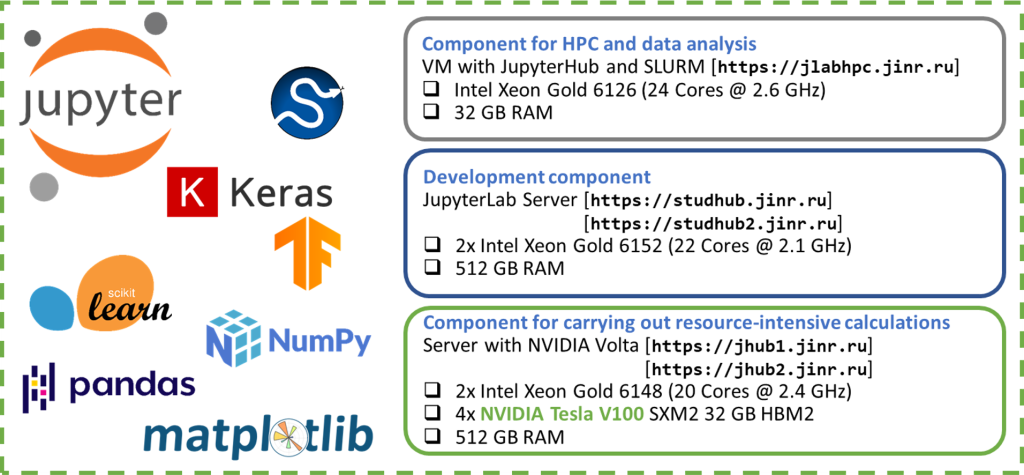
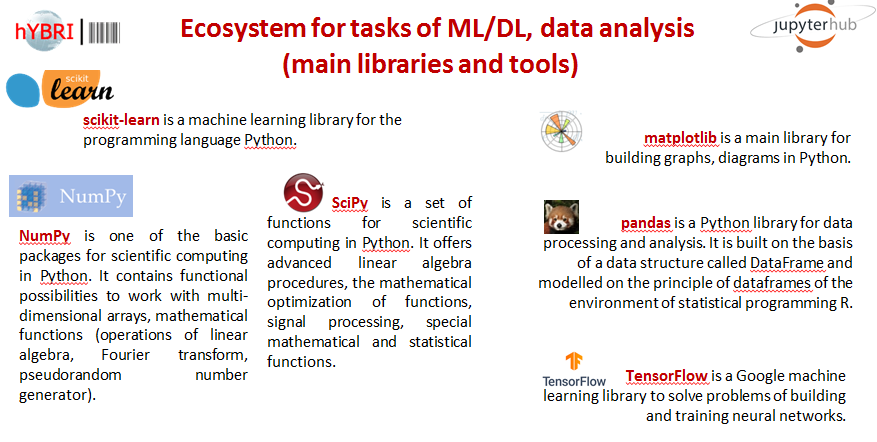
Figure 2 shows the most commonly used libraries and frameworks installed on components of the ecosystem for solving ML/DL problems and data analysis tasks.
Work within the ML/DL/HPC ecosystem
To get started you need to:
- Log in with your HybriLIT account in GitLab:
https://gitlab-hybrilit.jinr.ru/
- Enter the components (the autorization is done via GitLab):
| Development component (without graphics accelerators) |
Component for carrying out resource-intensive calculations (with graphics accelerators NVIDIA) |
Component for HPC on the HybriLIT platform nodes and data analysis
(JupyterHub and SLURM) |
| https://jlabhpc.jinr.ru/ |
Jupyter Notebook
Once authorized, Jupyter Notebook interactive environment will open:
Users have access to their home directories located on NFS/ZFS or Luster file system.
Getting started with Jupyter Notebook
Create directory:
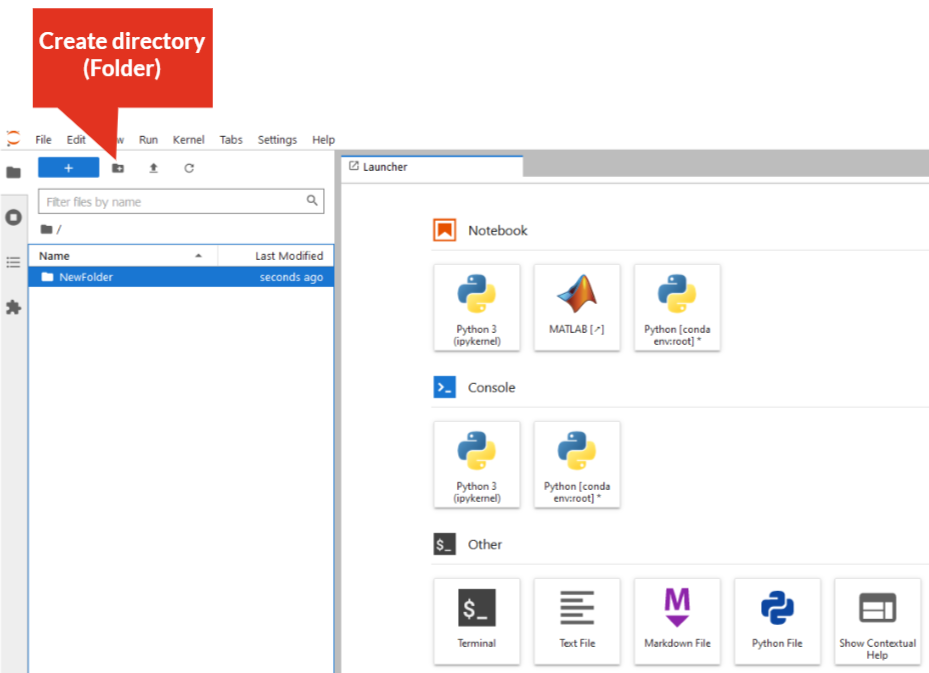
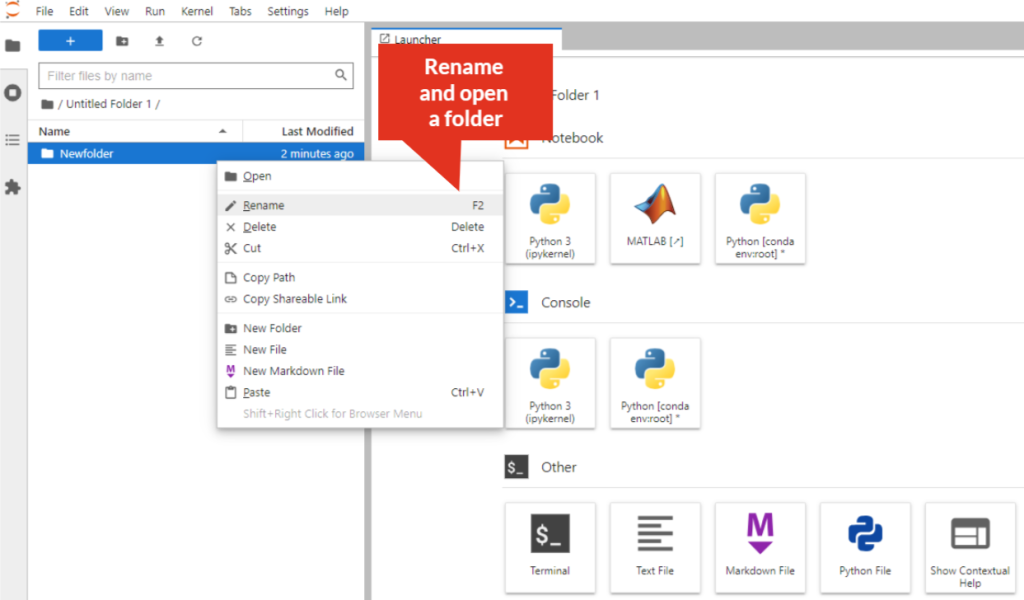
Rename directory:
– right-click on the directory/folder, select “Rename” from the drop-down menu, or select the directory/folder and press “F2”. The directory/folder name must not contain spaces!
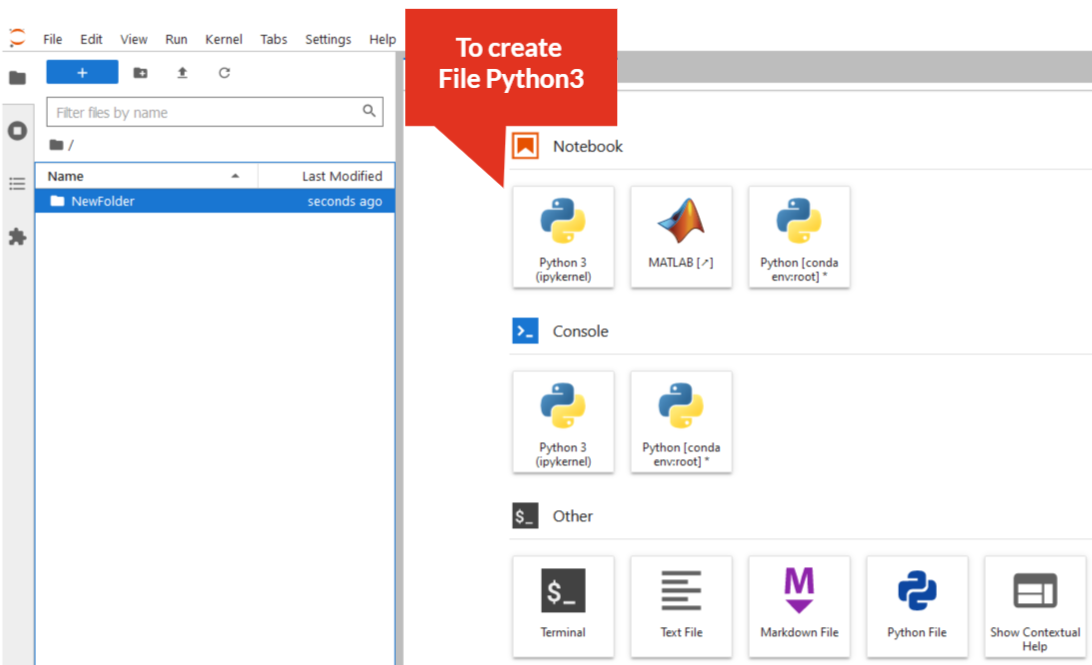
Create Python3 file:
– click on “Python3” icon
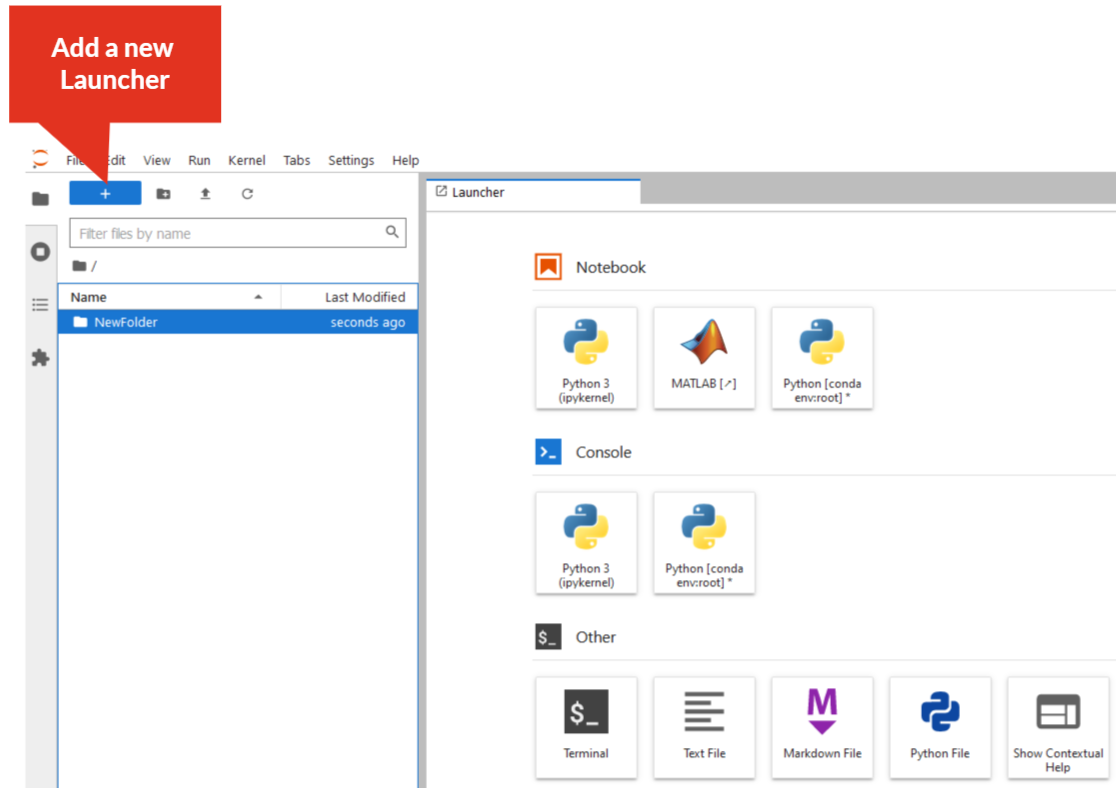
Add a new tab (New Launcher):
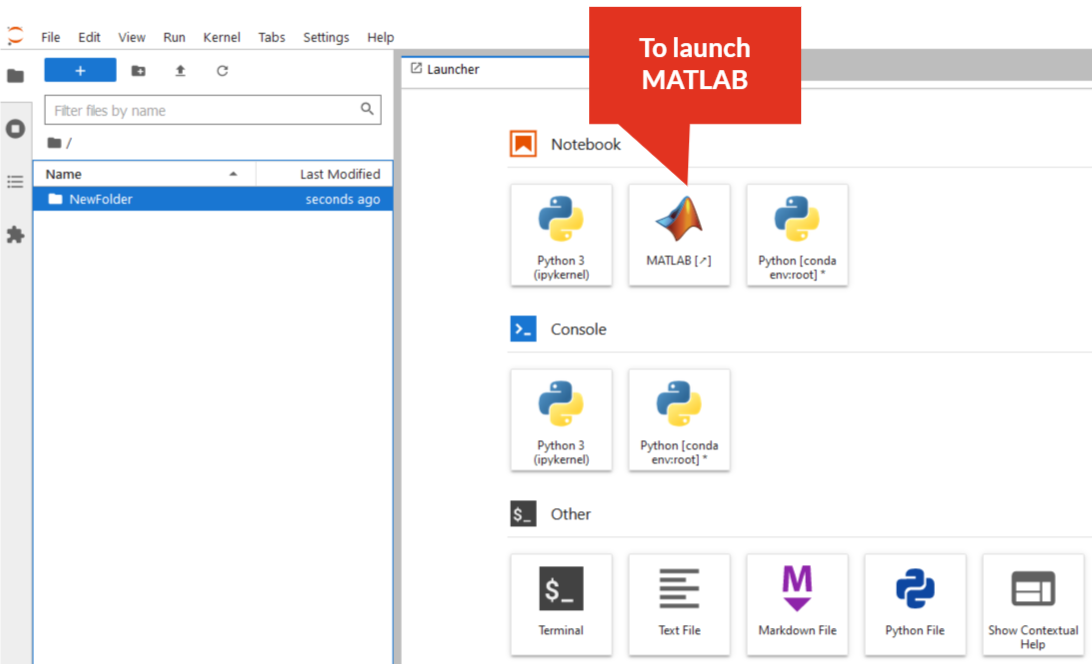
MATLAB in JupyterHub environment:
— click on “MATLAB” icon, then follow the instructions